Build Your Event Timeline Step by Step

Selling fast— 93 people bought this in the last 24 hours
Popular right now— 373 people are viewing this product
Top rated— 5.0 stars from 10,679 verified buyers
$69.99
Sale ends in 11:59:59
What you'll get
Instant digital access
Works on any device
Free lifetime updates
30-day refund policy
Try for free with Business Pass
VISA MC AMEX PayPal
EVENTS & CELEBRATIONS β€’ HTML PLANNER

A Busy Day, Turned Into A Plan Anyone Can Run

An interactive planner for one event. You set the date, the start time and the headcount, drop your moments into the day, and the schedule times itself β€” ending in a printable brief the venue, the vendors and your helpers can all work from.

Β 
πŸ”₯ Move one thing and the day re-times itself

A single interactive HTML file that turns a big, busy day into a timed plan somebody else could run without you. You put in what you already know, and it holds the schedule, the money and the loose ends together until the day arrives.

Made for anyone hosting something that matters and currently keeping the whole plan in their head.

πŸ”“ Get Instant Access

βœ“ Instant access to the HTML planner

βœ“ Built to fill in, not just to read

βœ“ Works on any device, lifetime access

Β 
SOUND FAMILIAR?

Booking it was the easy part. Running the day is the hard bit

The plan lives in five places at once

A note on your phone, a group chat, a photo of the venue’s form, and a spreadsheet nobody else can open.

One delay and the whole schedule is wrong

Push a single moment back fifteen minutes and every time written after it quietly stops being true.

The awkward questions get left until the day

Who decides if it rains, where people meet if something happens, what the caterer was actually told about allergies.

You spend the day answering instead of attending

Everyone asks you, because you are the only person who knows what happens next.

Β 
SEE IT BEFORE YOU BUY

What opens when you download

Not a printable template you fill in by hand β€” a working planner that does the arithmetic for you, in your browser.

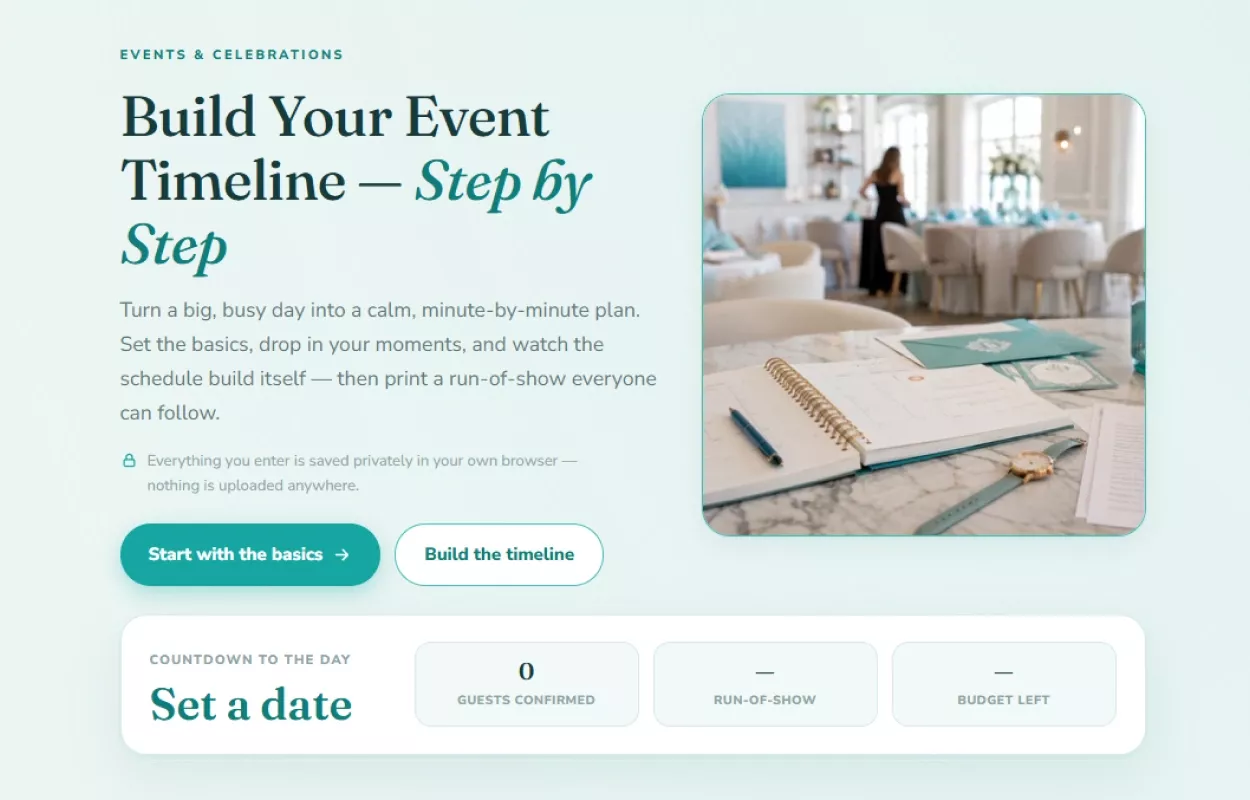
Opening screen of the event timeline planner with a countdown strip showing guests, run-of-show and budget

Four numbers that tell you where you stand. A countdown to the day, confirmed guests, the length of your run-of-show and what is left of the budget β€” all of it filling in as you work.

Β 
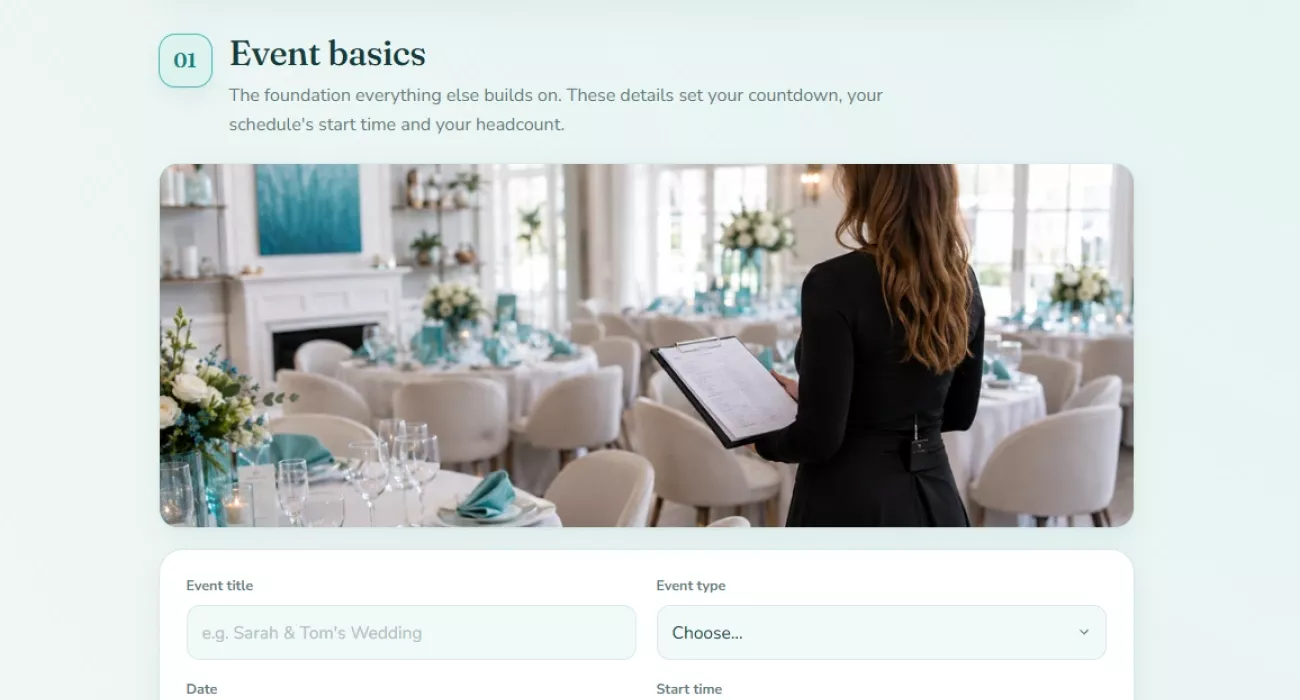
The event basics section with fields for the title, type, date and start time

It starts with the few things everything else depends on. The date, the start time and the headcount. Set those and the countdown, the schedule and the catering numbers all have something to key off.

Β 
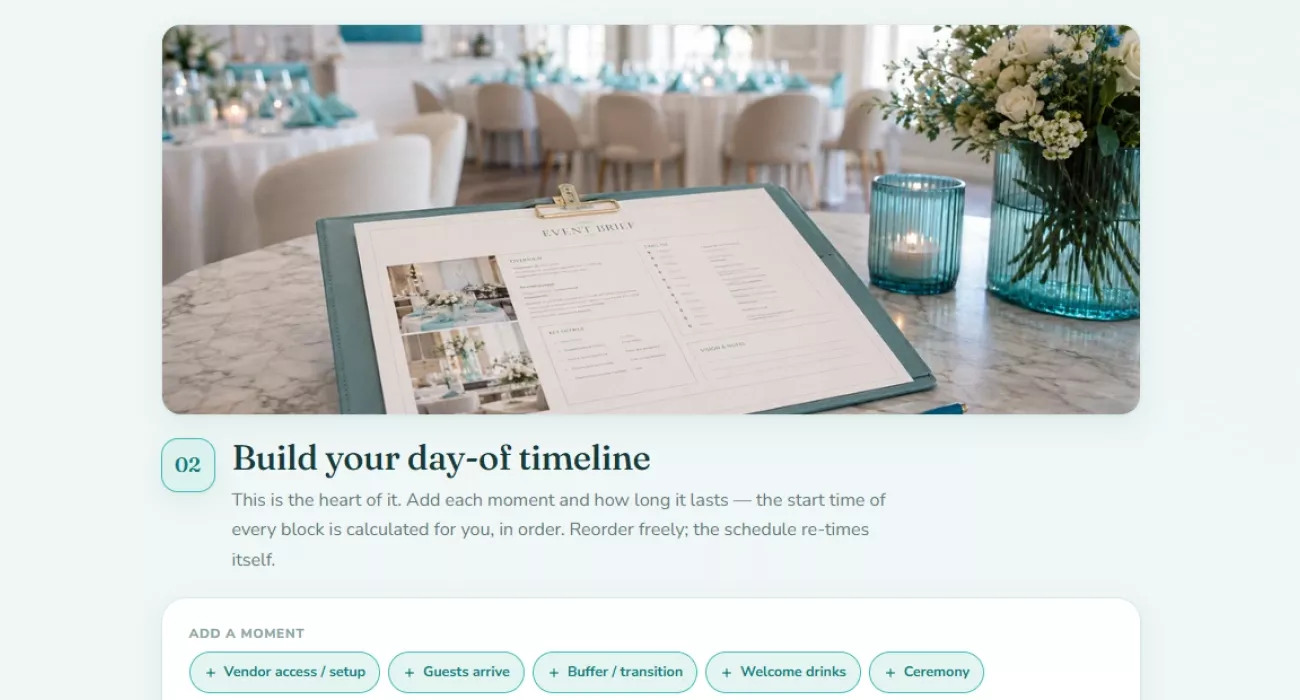
The day-of timeline builder with ready moments to add to the schedule

The day gets built one moment at a time. Tap a ready moment or write your own, give it a length, and the start time of every block after it is worked out for you β€” in order, every time you reorder.

Β 
16 moments ready to drop in 23 countdown tasks 10 budget categories 100% stays on your device
Β 
WHAT'S INSIDE

What it puts in your hands

Six things that make it a working plan rather than another blank template to fill in.

01

A schedule that re-times itself

Β 

Move one moment and everything after it lands where it should.

Β 
02

One place instead of five

Β 

Everything currently scattered across chats, notes and photographs of forms.

Β 
03

A countdown anchored to your own date

Β 

What genuinely needs doing now, and what can honestly wait.

Β 
04

The money side, kept honest

Β 

What you planned to spend, sitting next to what you actually have.

Β 
05

The questions nobody enjoys asking

Β 

Access, allergies, weather and who decides β€” settled before the day, not during it.

Β 
06

One page everybody else works from

Β 

The thing you hand over so people stop asking you what happens next.

Β 
ONE SITTING

Half an hour in, and the day has a shape

It isn’t something you read. You sit down with what you already know, work through it once, and come out with a plan that is written down instead of remembered.

01

Open it

One file in your browser. No install, no login, nothing to set up before you can start typing.

02

Put in the few things you already know

The date, the time it starts, roughly how many people. Everything after this keys off those three.

03

Build the day out moment by moment

Add what happens and how long it takes. The clock times are worked out for you, and stay right when you change your mind.

04

Work backwards from the date

The countdown fills in its own target dates from your event date, so the list tells you what is due rather than what merely exists.

05

Print it and hand it over

The finished brief goes to the venue, the vendors and whoever is helping β€” one version, everybody reading the same thing.

The point isn’t a tidier plan. It’s that on the day itself, somebody else can run it without asking you.

Β 

Stop carrying the whole day. Start writing it down

One sitting now is the difference between running the day and being run by it. Instant download, lifetime access, opens in any browser.

πŸ”“ Get Instant Access
Β 

A planning tool only. Accessibility, food-safety, emergency and permit requirements vary by location β€” confirm them with your venue and local authorities.

Β 

At a glance

Format Interactive HTML planner (single file) Access Instant download after checkout
Compatibility Phone, tablet, laptop β€” any device Structure Seven sections, one event at a time
Output A printable, share-ready event brief Saving Everything stays in your own browser
Connection Works fully offline Price $PRICE
Β 
HERE'S EVERYTHING YOU GET

Everything inside β€” yours for $PRICE

The full seven-section planner

Event basics, the day-of timeline, the countdown, the budget, vendors, contingency and the final brief

Included

Sixteen ready moments for the day

Setup, arrivals, buffers, speeches, dinner, dancing and the rest β€” each with a starting length, plus your own

Included

A twenty-three task countdown

Across five phases, each phase targeting its own date worked back from the day itself

Included

A budget across ten categories

Planned against actual, with a suggested reserve and a spendable target in whatever currency you use

Included

A printable event brief

The timed run-of-show, who owns what, where the budget stands, vendor arrivals and the contingency notes

Included

Instant download, private and offline

Available the moment your payment clears, and everything you type stays in your own browser

Included
Regular price
Your price today
SAVE OFF
$PRICE
Β 
Download now
Β 
BEFORE YOU BUY

Questions, answered

How do I get it after paying? +

It's an instant download β€” the file is available the moment your payment clears, straight from your order confirmation. Nothing ships and there's no email delay.

What devices can I use it on? +

Any device with a browser β€” phone, tablet or laptop. You open the downloaded file the same way you'd open a web page, and the layout adapts to the screen size.

What's the refund policy? +

Refunds are handled under our store's Refund Policy (30 days), which covers the details for digital access.

Is it only for weddings? +

No. You choose the event type yourself, and the ready moments cover the shape most gatherings share β€” setup, arrivals, food, the main moment, the send-off. A birthday, a shower, an anniversary or a company party all fit.

Can I print it, or is it screen-only? +

It's built to be printed. The final section produces a share-ready brief you can print or copy, which is the version you hand to the venue and your helpers.

Does it keep my guest list by name? +

No β€” it tracks the headcount rather than individual guests, so invited, confirmed and declined are numbers you set. Names and seating stay wherever you already keep them.

Where does my information go? +

Into your own browser and nowhere else. Nothing is uploaded, so use the same device and browser each time, and don't clear site data if you want to come back to the plan.

Will it tell me if my schedule doesn't work? +

It checks the things that quietly break a day β€” whether the start time is set, whether every moment has a length, whether anyone is named as responsible, and whether you've left any breathing room at all.

Is the safety and accessibility part official advice? +

It's a planning aid built on published guidance, and it says so as you work through it. Requirements differ by location and by the kind of event, so it points you at your venue and local authority rather than standing in for them.

Questions, answered

Access is instant. Right after purchase the product appears in your personal account and you get a confirmation email.
Any device with a browser — phone, tablet or desktop. Your access is lifetime.
No. All future updates are included and delivered to your account at no additional charge.
Refunds are handled under the store's Refund Policy: within 30 days, if the product doesn't match its description or you can't access it.
Loading reviews...

Instant Delivery

Upon purchase, you get immediate access via your personal account and a confirmation email.

Returns & Refunds

Refunds are handled under the store's Refund Policy. Within 30 days, a refund may be available if the product doesn't match its description or you can't access it. Once the files have been accessed, refunds for a change of mind aren't available.


Lifetime Updates

Your purchase includes access to all future updates at no additional charge.

Secure Checkout
Instant Access
30-Day Returns

Instant digital access on any device, with free lifetime updates.

Refunds are handled under the store's Refund Policy. Within 30 days, a refund may be available if the product doesn't match its description or you can't access it. Once the files have been accessed, refunds for a change of mind aren't available.